Habit
I've kept place lists for as long as I've been traveling. NYC neighborhoods worth a walk. London bookshops worth a detour. Tokyo coffee. Hong Kong dim sum. The lists came from everywhere — FT and Monocle city guides, a paragraph in a magazine, a decade of my own walking notes.
They lived in twelve different places. Google Keep, and more recently Notion. Saved Instagram posts for the visual ones. Screenshots for the rest. Each list knew its content. None of them knew its city.
When a trip came up, the same loop ran every time: dig back through the apps, copy the names into a fresh note, look each one up on Google Maps, see if any were near each other, and just walk.
// Seed data
| Item | Count |
|---|---|
| Cities seeded | 4 — NYC, London, Tokyo, Hong Kong |
| Places loaded | 200+ |
| Topics | 11 — Coffee, Restaurants, Bookshops, Galleries… |
| Sources | FT, Monocle, walks |
Diagnosis
The reason it didn't get easier wasn't volume — it was geometry. Notes apps store words. Bookmark managers store URLs. Both throw away the one fact that made the recommendation actionable: where the place is. Without geography, "good East Village coffee" is just text. With it, it's a route.
Map apps had the opposite problem. Google Maps knew every restaurant in the city. Saved Places was a flat dump with no sense of who recommended what, or why. The default view was everything; the thing I needed was the small set worth my attention.
Notes without geography are unactionable. Maps without curation are everything-and-nothing. The product is the join.
Structure · The place is the atom. The views are zoom levels.
Three views, three horizons — Globe → City → Route. Open the view that maps to the question, read the answer, move on.
// Three horizons · one read each
| View | The read | Horizon |
|---|---|---|
| Globe | Which cities carry weight. Where the curation is dense at world scale. | World |
| City | Within this city, where's the cluster. Which neighborhoods carry it. | City |
| Route | These six places, in what order, on foot. | Trip |
| List | The flat log under every view — place, topic, source. | All |

Craft · Five decisions made the structure work.
4.1 — Topic before place
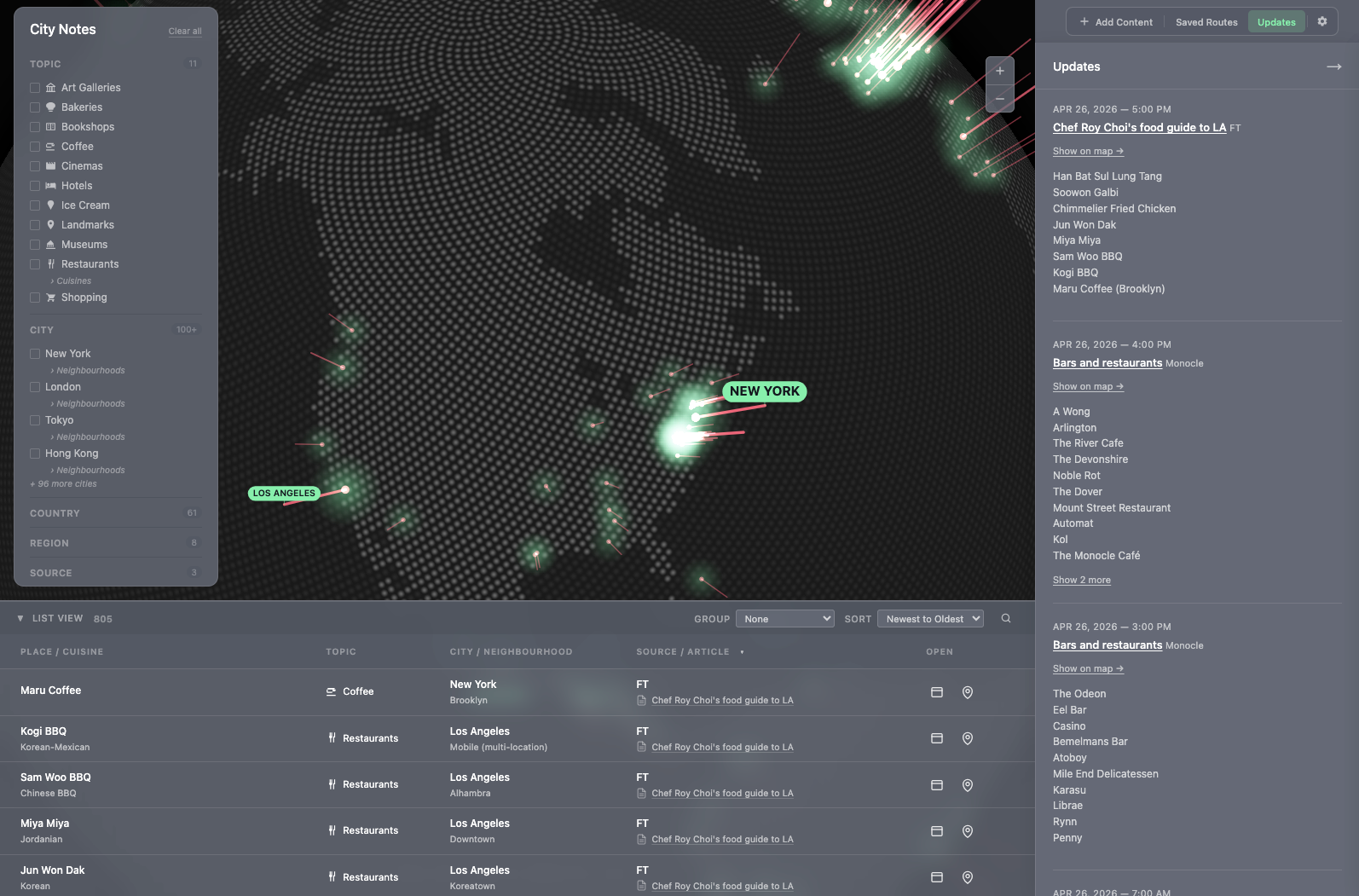
The category sidebar leads with what — Coffee, Bookshops, Galleries, Restaurants — before where. Cities sit underneath as a filter, not as the primary axis.
The reasoning came from watching how I actually opened the lists. I almost never started with "show me everything in NYC." I started with "where are the bookshops" or "I want coffee, walking distance." Topic is the question. City is the answer to the question.
The hierarchy goes one level deeper where it earns it. Restaurants opens a Cuisines sub-filter — Italian, Japanese, Chinese, French. Topic → subtopic → city, only when the topic is wide enough to need it.
For the times I do start with a specific name, ⌘K opens a command palette that filters by name, city, topic, or source as I type. Topic-first for browsing; search for grabbing.
4.2 — Source attribution as first-class content
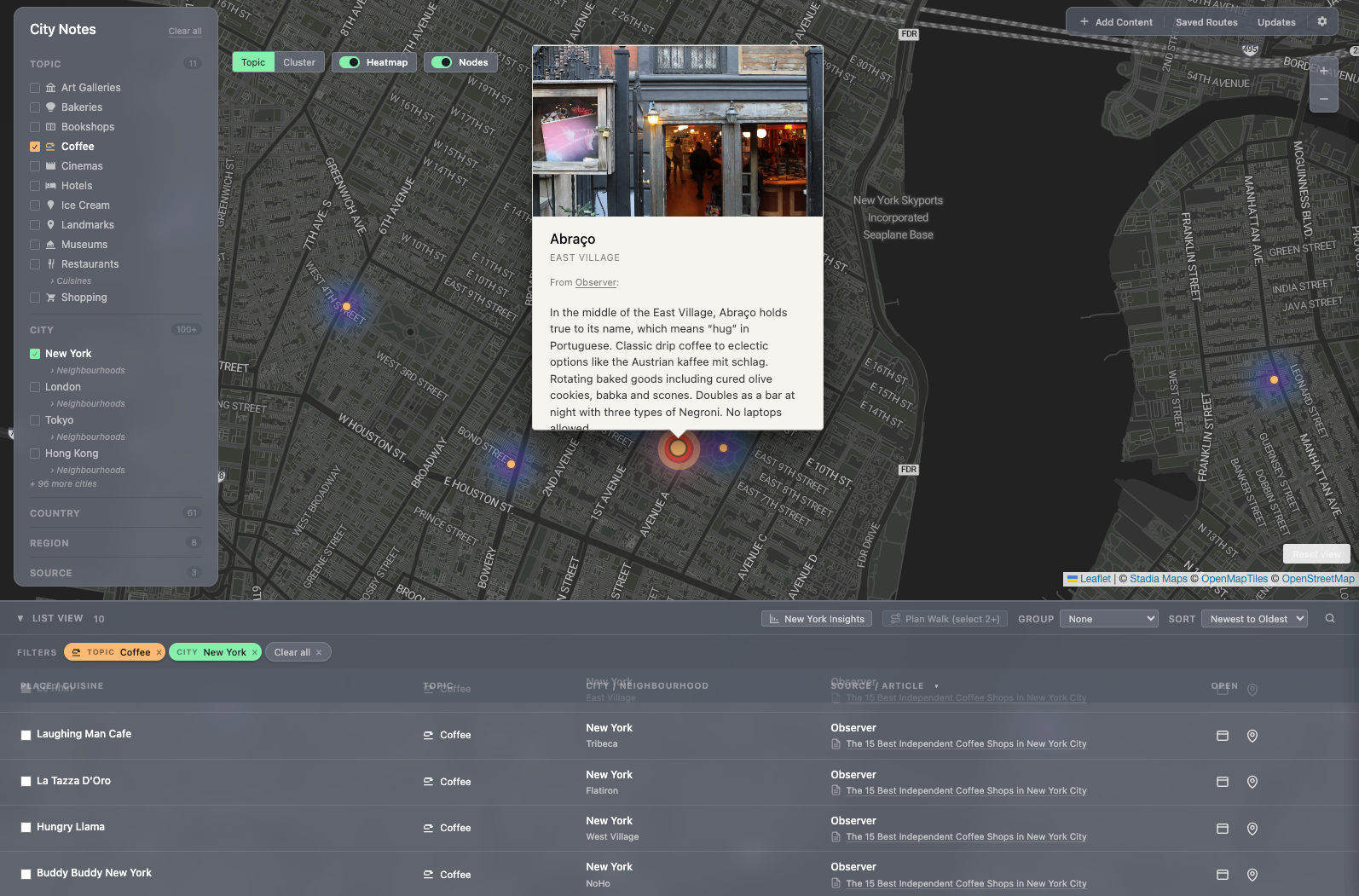
Every place carries the source — the publication or article that surfaced it. Gagosian, Chelsea, Galleries — FT. A coffee shortlist for Copenhagen — Monocle. Two reasons for the rule.
First, I want to remember whose taste I trusted. A place from FT's "best modern art galleries" reads differently than one from Monocle's neighborhood guide. Different editors, different filters, different reasons to trust the pick.
Second, the source is the next read. If Monocle's coffee pick was good, the rest of Monocle's list probably is too. Source becomes a navigation surface in itself.
I can't add a place without knowing where it came from. That's the right friction. If I can't remember why a place is on the list, it shouldn't be on the list.

4.3 — Heatmap as the density read
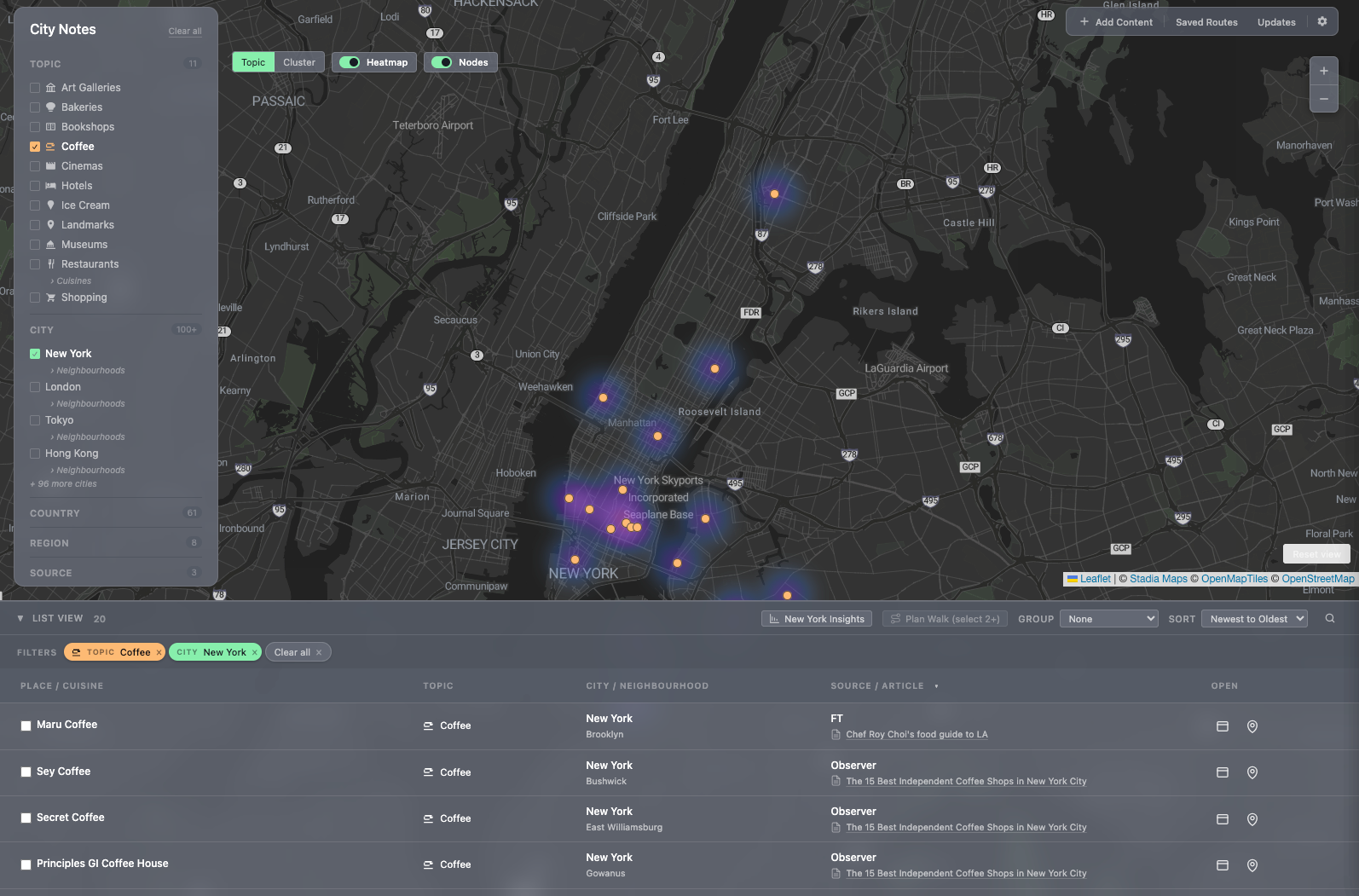
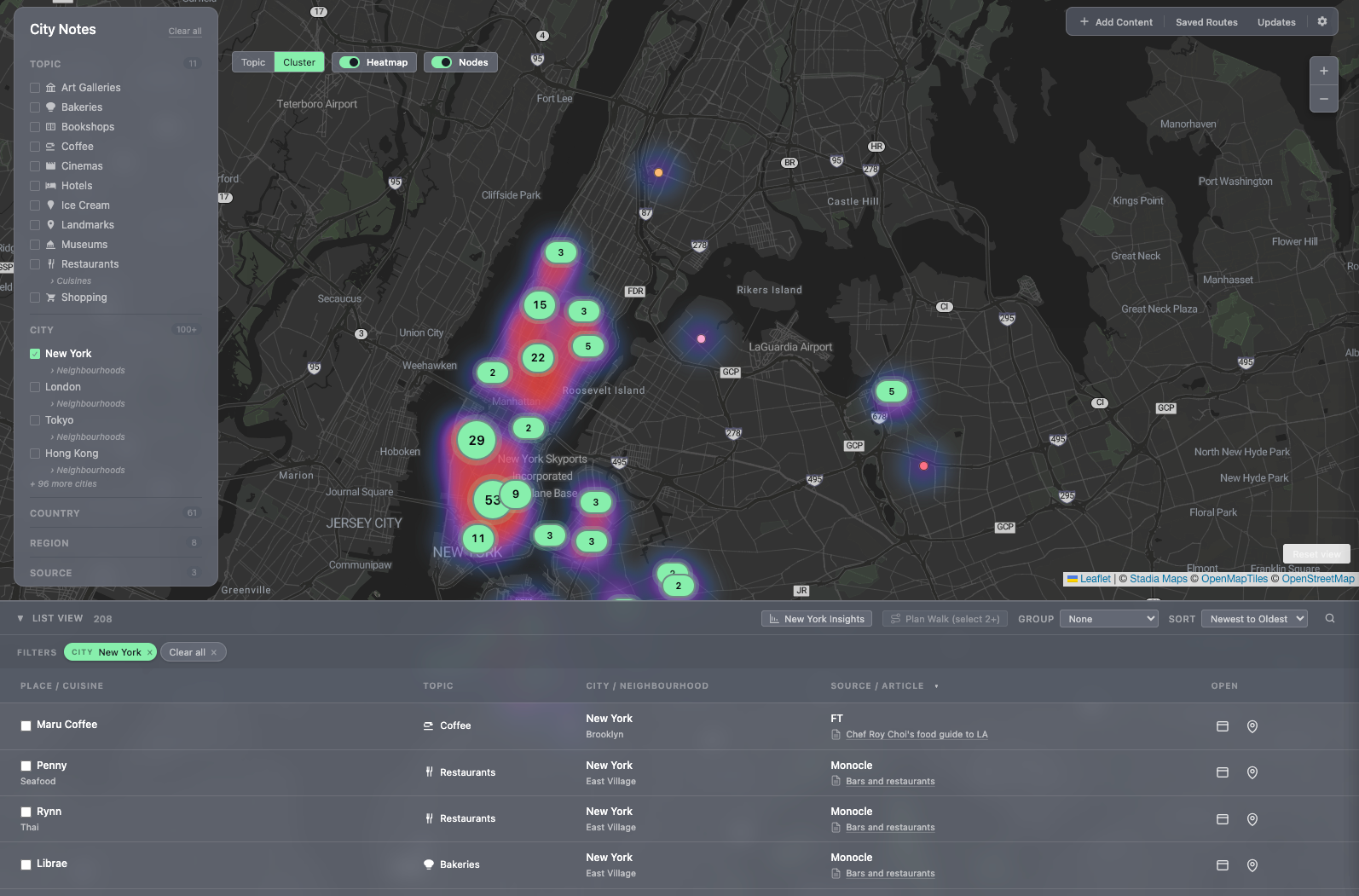
The city map carries a heatmap layer that shows where my saved places cluster. Looking at NYC, the East Village glows; Chelsea glows; the Upper West Side is dim. That's not data about NYC — that's data about me. It tells me where my taste has been formed and, by absence, where it hasn't.
For a city I'm visiting for the first time, the heatmap is also the wandering map: dense areas mean dense recommendations, which means a one-mile walk pays off rather than a one-mile walk to a single restaurant.
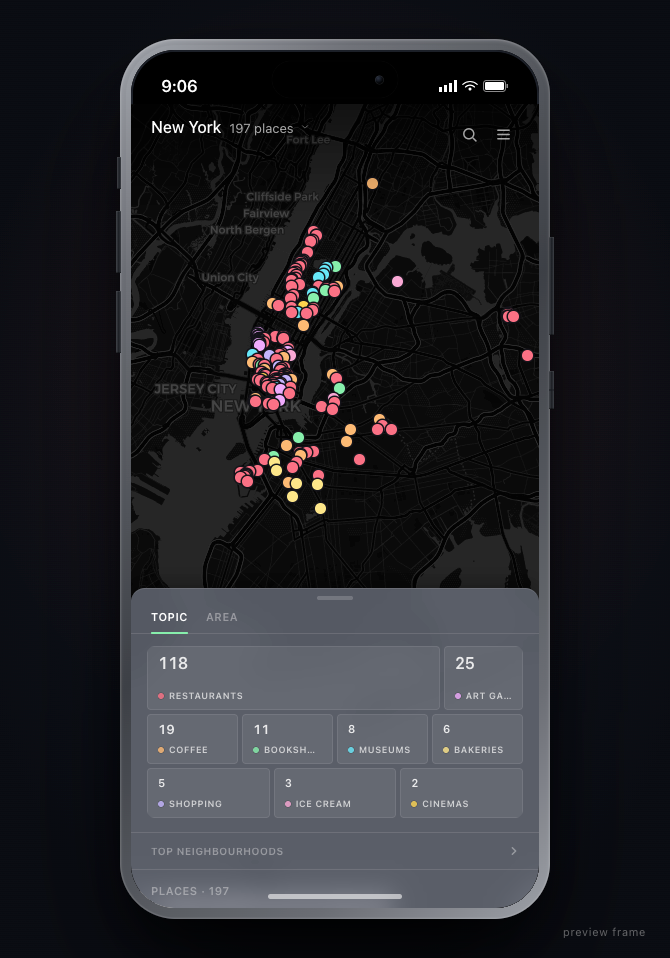
The map toggles between two marker styles depending on density. Topic mode colors each pin by category, for the read of what's where. Cluster mode aggregates nearby pins into count bubbles, for when there are too many to parse individually. Heatmap sits as a third layer underneath both.
4.4 — Mobile is for moving, desktop is for collecting
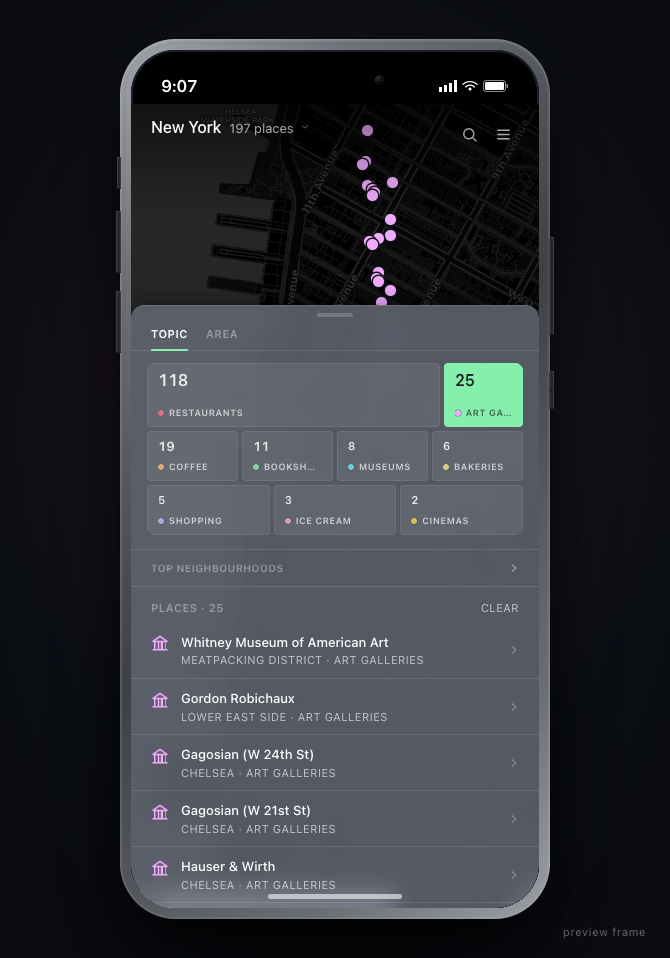
Desktop is the curator's bench: places get added, organized, browsed, attributed. Mobile strips that away and surfaces two questions: where am I, what's nearby? Routes are mobile-first because routes only matter when you're walking.
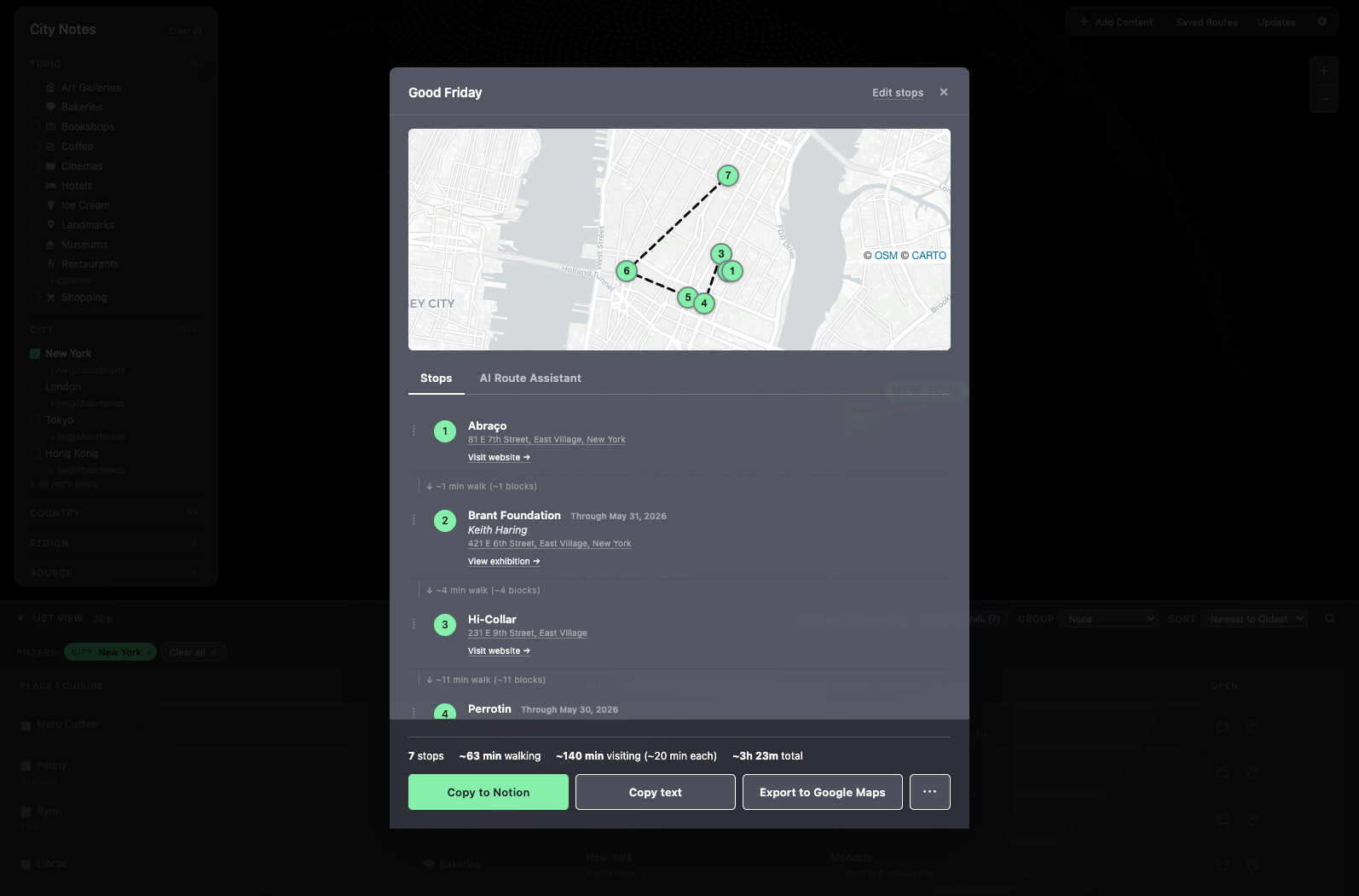
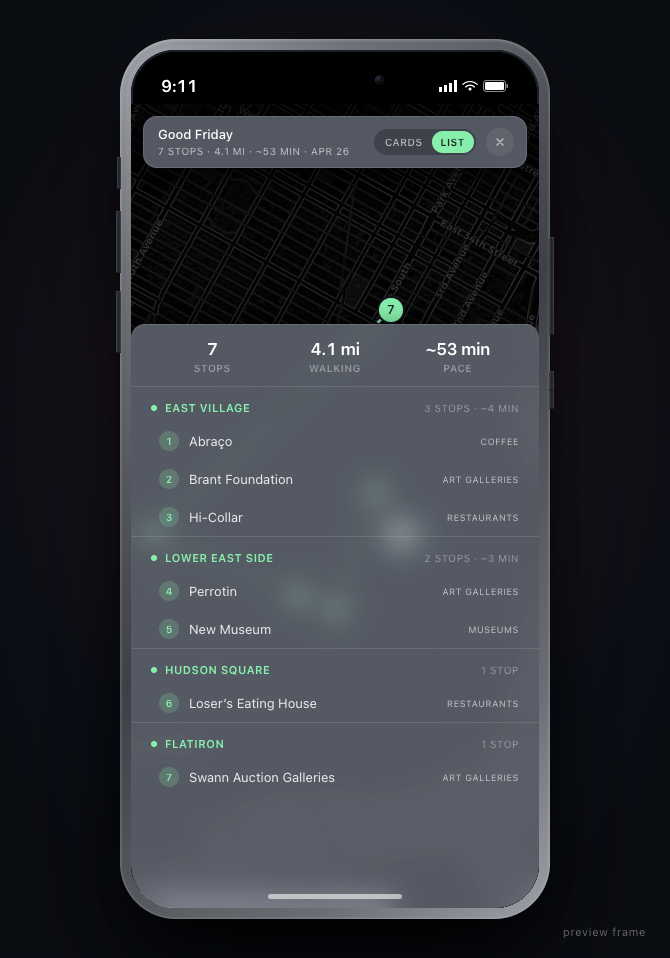
The route view groups stops by neighborhood, shows distance and pace, and exports to Google Maps in one tap. Navigation isn't the product — deciding where to go is. Once the decision is made, hand off to the tool that's already best at the next step.
The route modal also carries an AI assistant. Type "start from the south" or "move Coffee to slot three" or "group by type" and the stops reorder in place. Drag-to-reorder is there too, for when a thumb is faster than a sentence.
Routes save with names. Load a prior route, export it as .json, import one from somewhere else. The route is an artifact, not a session — a Good Friday walk built once is still there next April.

4.5 — Theme as posture toward the data
Five slate variants — solid, veil, frost, mist, spectre — dial backdrop blur from 0 to 28 pixels. In 3D mode the panels float on the globe; the theme controls how much of the globe shows through them.
It's not paint. Each variant is a posture: solid for focus, spectre for atmosphere. Frost is the default — opaque enough to read, translucent enough that the globe never disappears under the work.
Build · Solo, end-to-end, with Claude Code.
The build was solo, end-to-end, with Claude Code. Design decisions and implementation decisions stayed in the same head. The taste layer was already there — a decade of personal collecting, the sources I trusted, the kinds of places worth saving — so the build was scaffolding around it: the globe, the city map, the heatmap, the route export, the source-attribution model.
The "Add Content" flow is the curation pipeline made literal. Paste an article URL or the text itself. Claude extracts the places that match the topic taxonomy, shows them as review cards with editable fields — name, neighborhood, photo, writeup, source — and on confirm bulk-adds them with attribution intact. The step that used to be "read the Monocle piece, screenshot, copy each name into a note, look up the address" collapses to a paste, a glance, a confirm.
The data informs the design. With city guides, the only honest way to design the surfaces was to load real curation in first. Generic place data would have produced generic decisions.
A personal project was the right vehicle because the product depends on whose taste is in it. I am the only person whose taste I can fully load.
What it feels like as a prototype
It's a working prototype, not a daily-use tool yet. What it does prove — what made me want to keep building — is that the geography-first read works.
The first time I opened the NYC heatmap and saw the East Village glowing exactly where I'd expect, Chelsea behind it, the Upper East Side a quiet patch — the structure proved itself. The treemap made the same point in a different shape: 208 places, 127 of them restaurants, the Lower East Side carrying more weight than I'd realized.
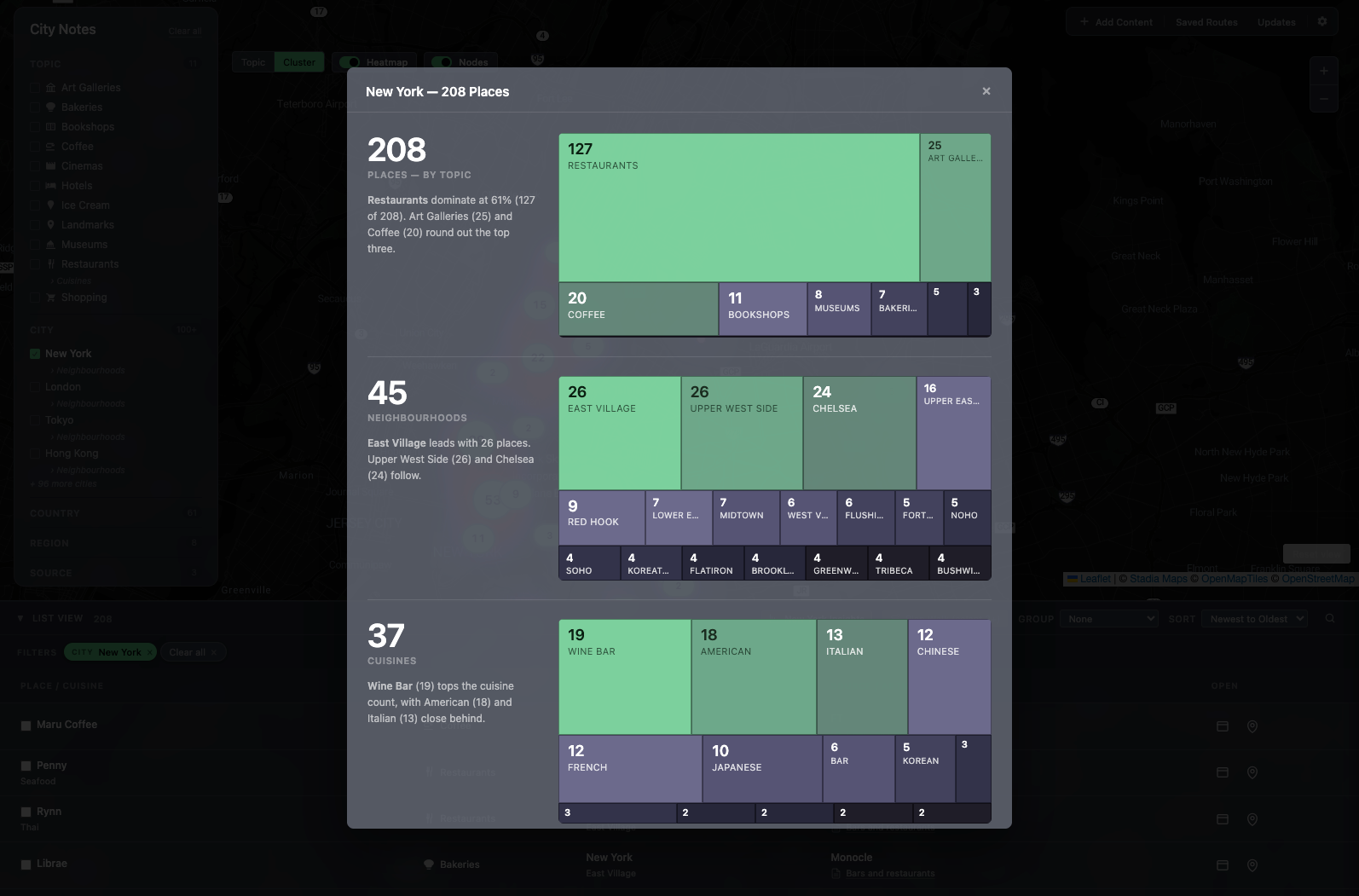
The treemap isn't static — it recomputes against whatever filters are active. Drop into Galleries only and it reshapes to galleries by neighborhood. The list view does the same work in a different shape: group by Neighborhood, City, Topic, or Source; sort by Name, Date, or Distance. The log is also a browser.
The Updates rail tracks every list as it lands — Chef Roy Choi's food guide to LA, FT's modern art galleries, Monocle's coffee shortlist. The provenance is visible all the way down: every place can be traced back to the article it came from.
The lists were never the problem. The map under them was missing.