CommonPlace
Turning what I read into something I can learn from, come back to and connect.




CommonPlace · Turning what I read into something I can learn from, come back to and connect
Nowhere to keep what I read
There isn't really a good way to save and reference articles anymore outside of a source's own app. Each one has a way to bookmark, but if I want to see all the articles I want to come back to on a topic, there isn't a way to do it.
The best articles are the ones that make you think, and you likely highlight something important that resonated. The apps that allow bookmarking don't let you highlight, and they definitely don't add tags or connect to other highlights. Creating that ability has been really helpful for me.
So I started with a question: how can I learn from what I'm reading quickly and keep it as a reference for later? And how could I take the idea of a brief summary of the important points and turn it into a more in-depth analysis, one that helps me understand the article better when I actually read it?
Those questions led me to design CommonPlace, an app I built and use for myself. I wanted an app that could read the articles I'm interested in, let me refer back to them later and save my highlights. I wanted to learn how an article is structured. I wanted to use AI to take summaries beyond the usual three-bullet list. And I wanted to interact with an article through chat, whether that's getting more context on a highlight or expanding on something the author stated.
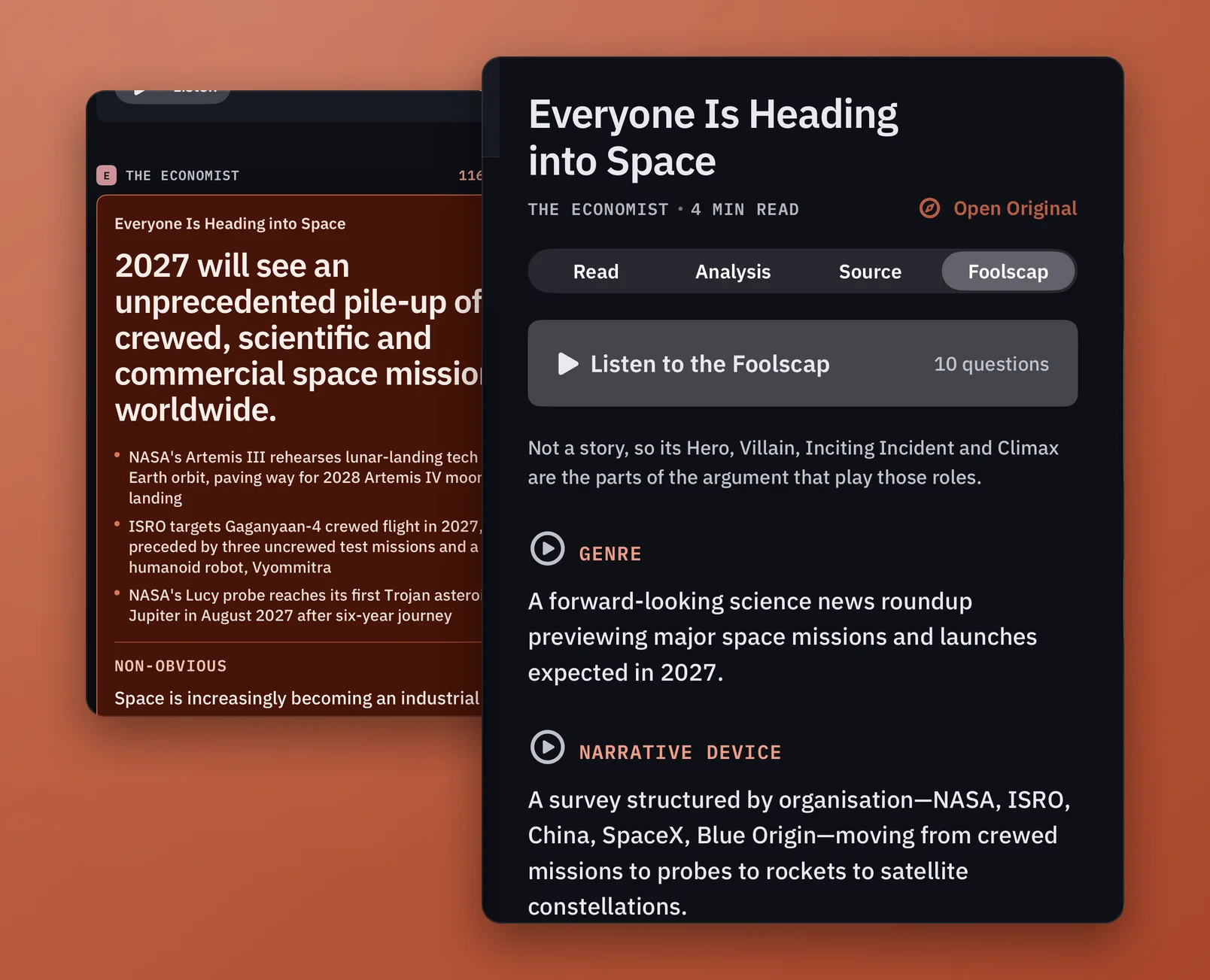
Being able to reference my highlights is really important to me. That's why I named the app CommonPlace, and why I call the highlights section Margins.
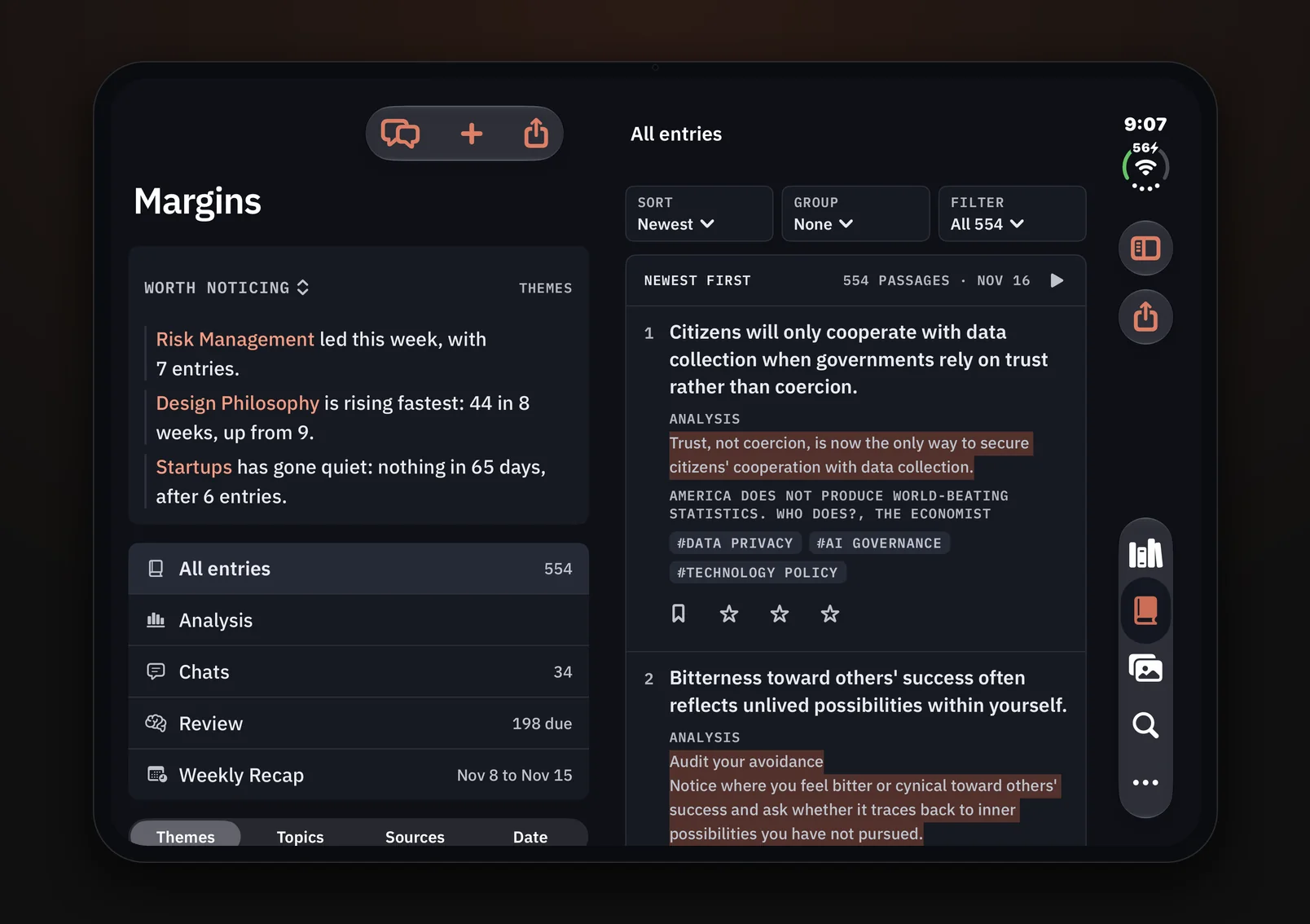
Building it while using it
Summarizing articles and highlighting came early on, along with the card navigation. Over a couple of months, I iterated every day as I used the app, whenever friction came up.
The card.
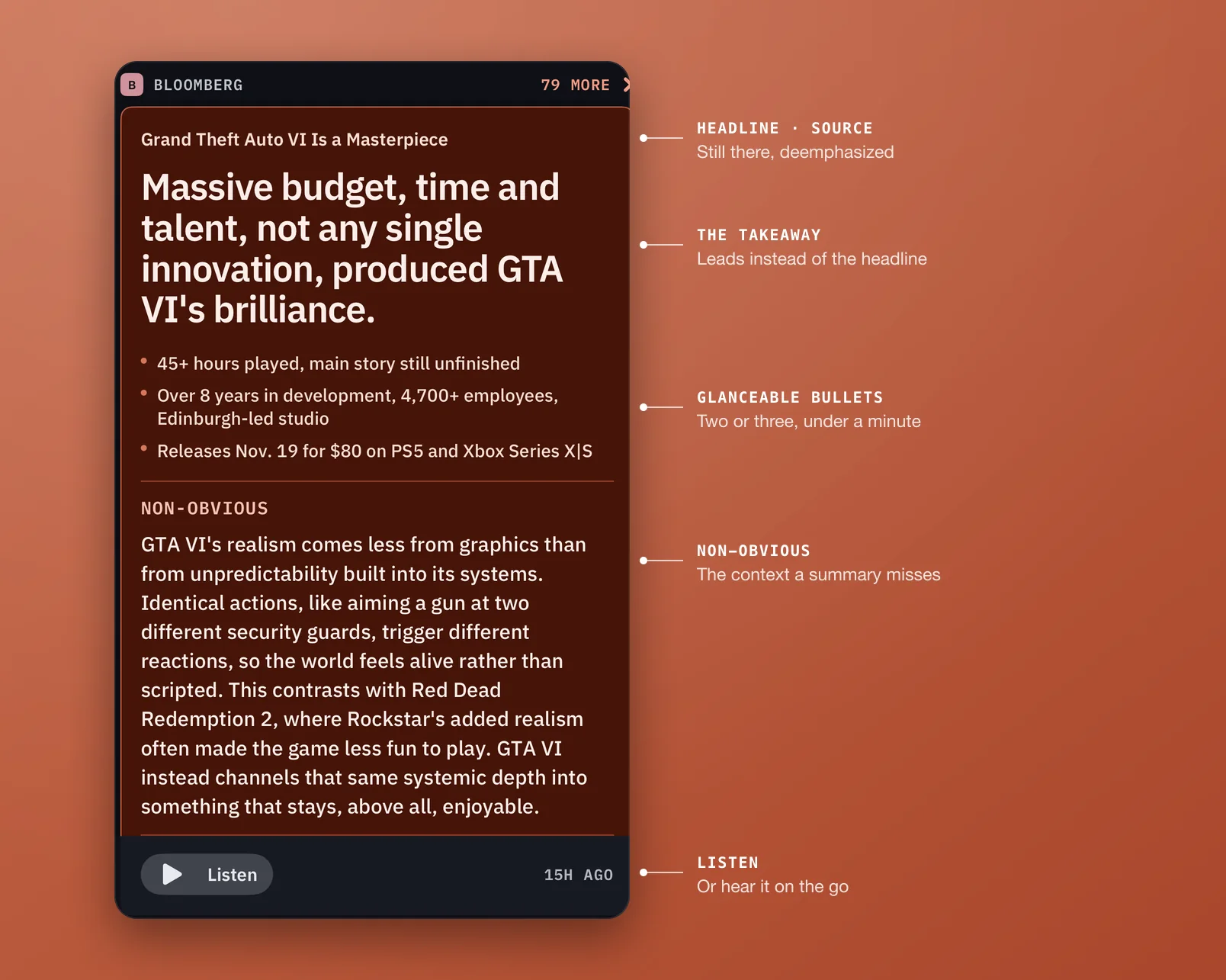
When I save an article, it becomes a card in my list. The card breaks the article down into three levels of summary. Instead of the article's headline, I emphasize the main takeaway, reinforced by a couple of glanceable bullets. Then there's the piece every summary seems to miss: a non-obvious blurb that puts the article in context, something I'd miss if I didn't read it.
These are designed so that if I never spend more time with the article, I still have something useful to ruminate on. The card is also designed to take less than a minute to read, so I can decide whether to read the article now, later or move on. The actual headline and source are deemphasized but still visible, because the summary is more useful.
The analysis.
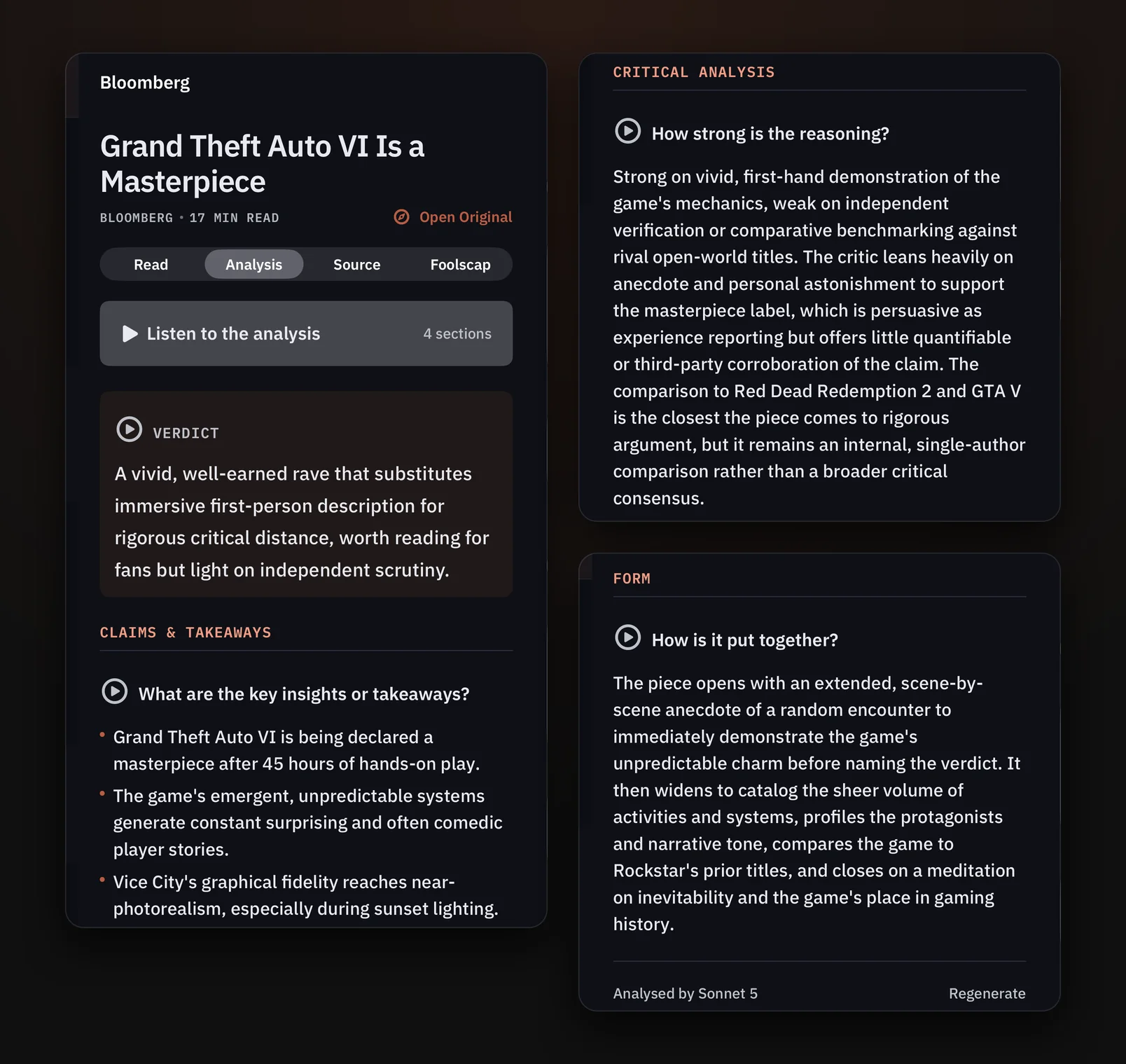
Tapping a card opens the article, which is broken into a few areas: the full article, of course, plus Analysis, Chat and others. Analysis is typically where I go first when I want a fuller breakdown before reading. It includes claims & takeaways, the problems the article identifies, and fuller quotes that help me understand the argument and place the article in context. It also shows me how the article is structured and whether its points make a compelling argument.
There's a trade-off here. Running the analysis has an AI token cost, so the article doesn't open on Analysis by default. The app only generates it once I go into that section.
Highlighting and chat.
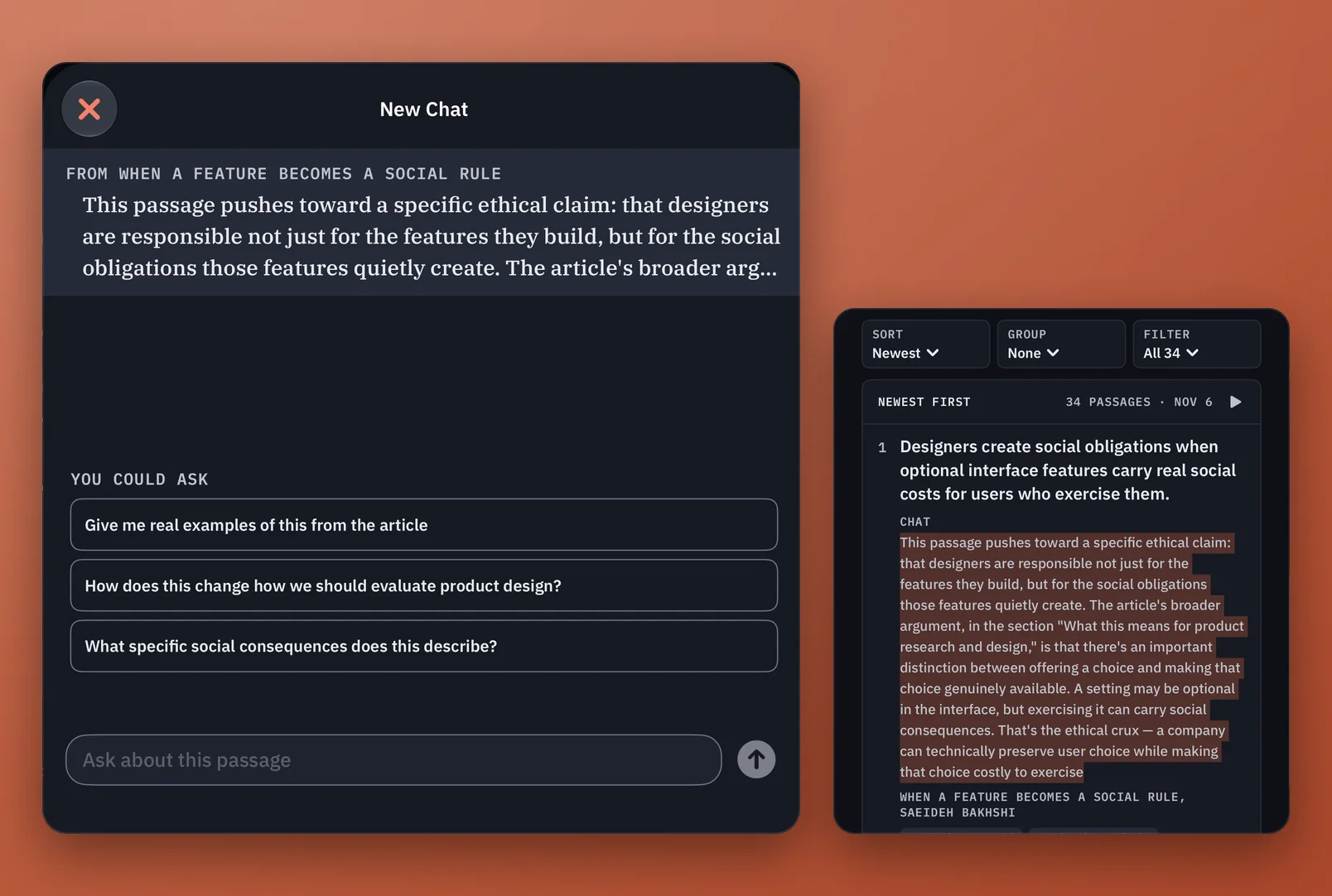
This is often where I highlight sentences, which are then gathered in Margins. I can also highlight text and open a chat to go more in depth. The chat draws on the ideas in the article along with the broader internet. From the chat I can pull up the highlight or the full article, and either pick from three reasonable questions it suggests or prompt my own. If an article is long, I might ask it to find examples cited in the article or break the content down more granularly.
Finding my way back.
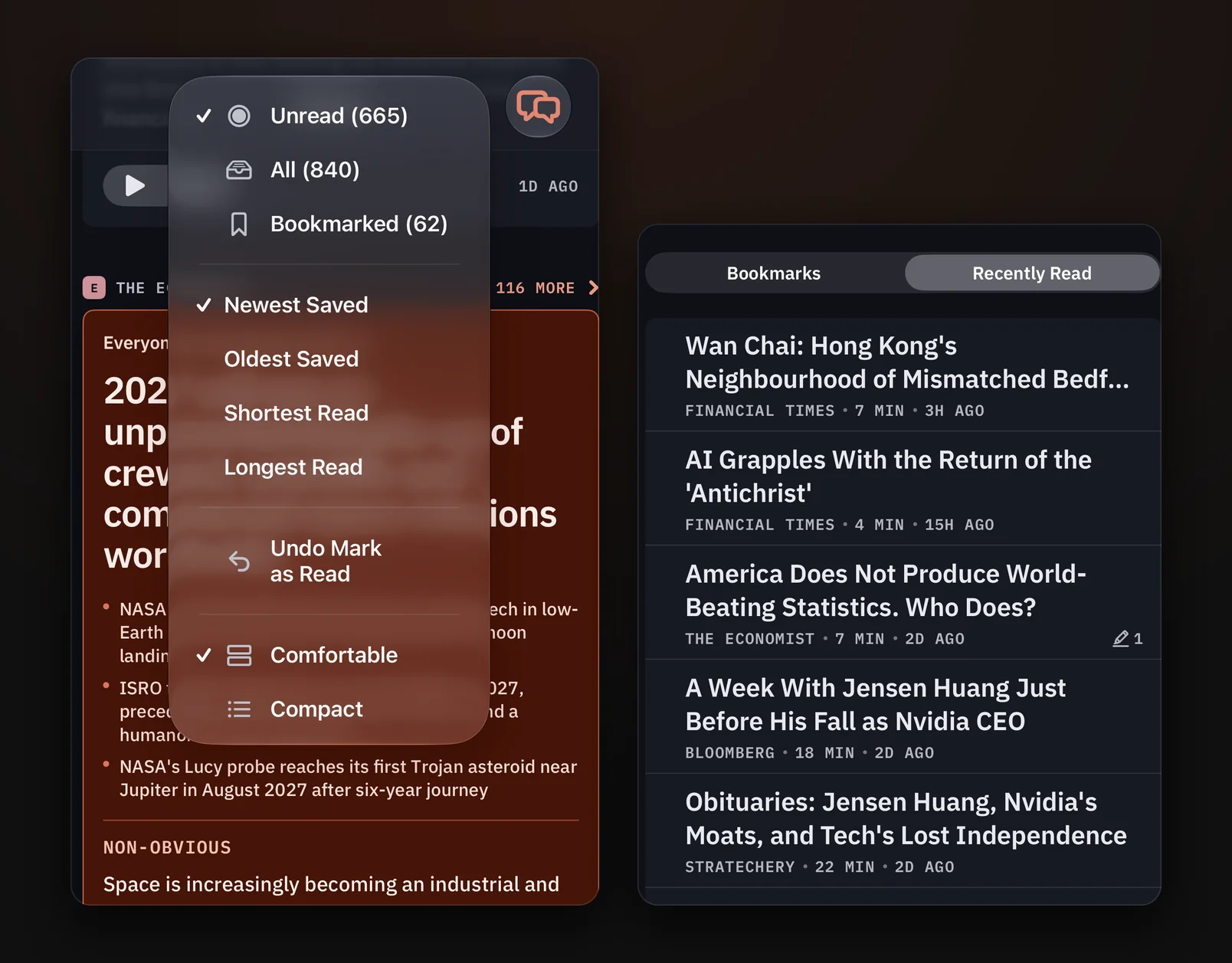
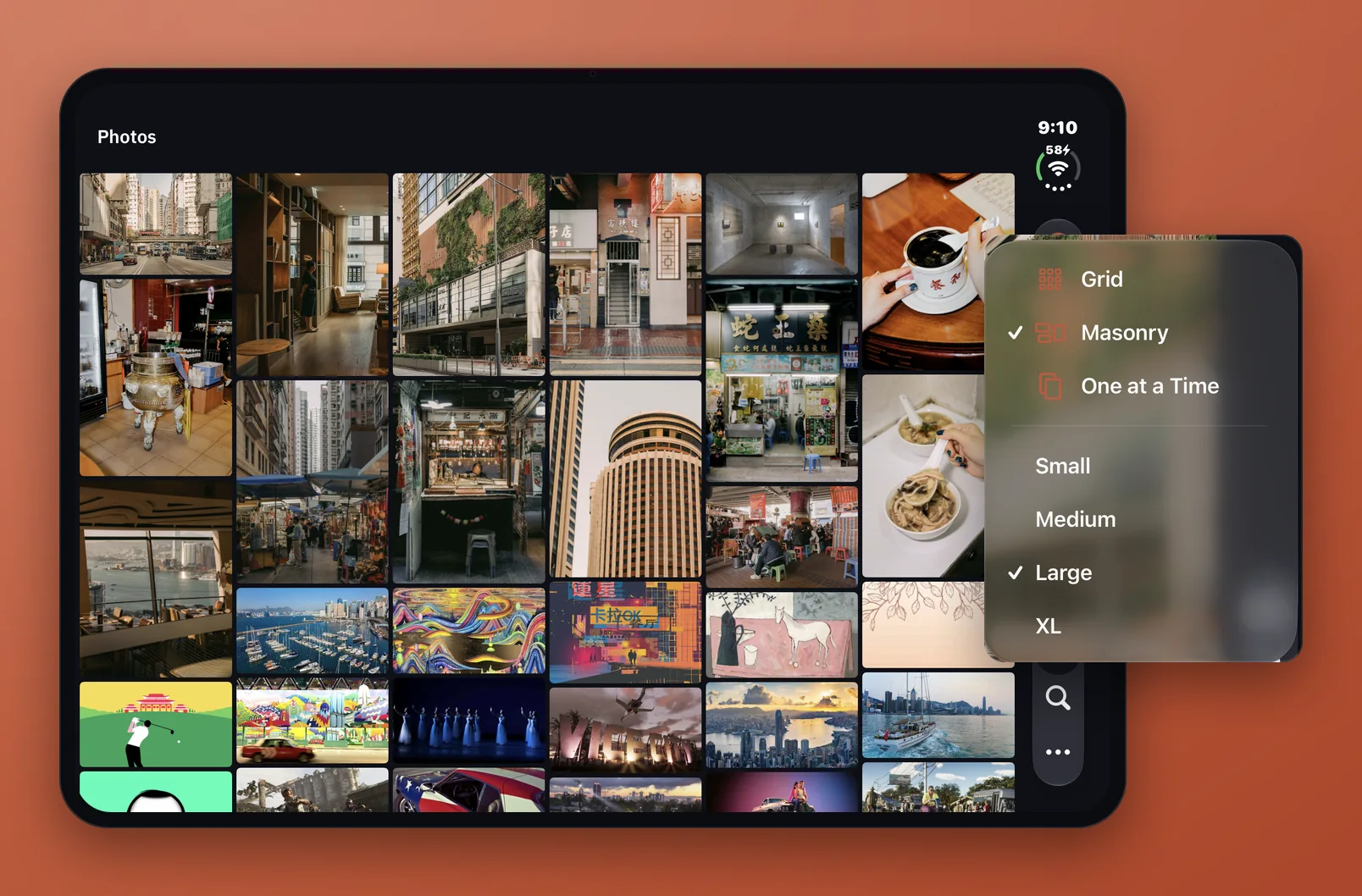
Bookmarks and Recently Read let me find articles again later. Photos aggregates every image from my articles, viewable at different sizes and formats. Some articles have images that aren't very good, and I can remove those with one click. The images help with retrieval when I can't remember an article's name or want to get back to it quickly, and they're nice to look at on their own.
Places worth keeping.
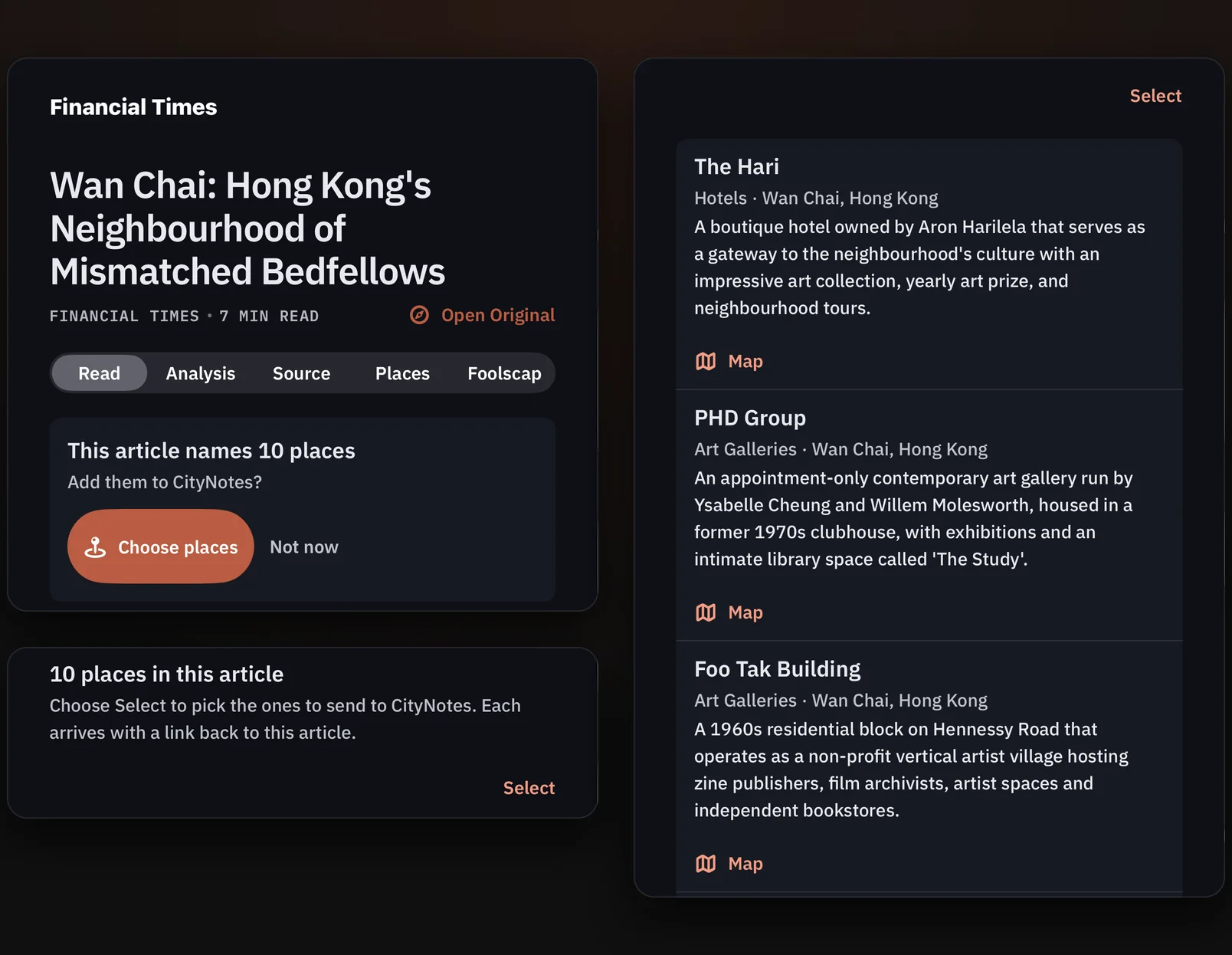
CityNotes is my map-based app for places I want to save for later, whether that's a gallery, a coffee shop, a restaurant or a store. A lot of the articles I read mention places like these, so CommonPlace pulls them out of each article, and I can send the ones I want to CityNotes as the newest entry on that city's map. Right now, CommonPlace is the main source of location info for CityNotes.
Connecting the dots
Building out the Margins section and the weekly reports came once the flow was seamless, so the information I was interested in could come back to me and tell me things I hadn't realized.
Margins is where this app really helps me. When I highlight a phrase that speaks to me, it's sent here. AI summarizes the gist of the phrase in one or two lines and tags it with themes and topics.
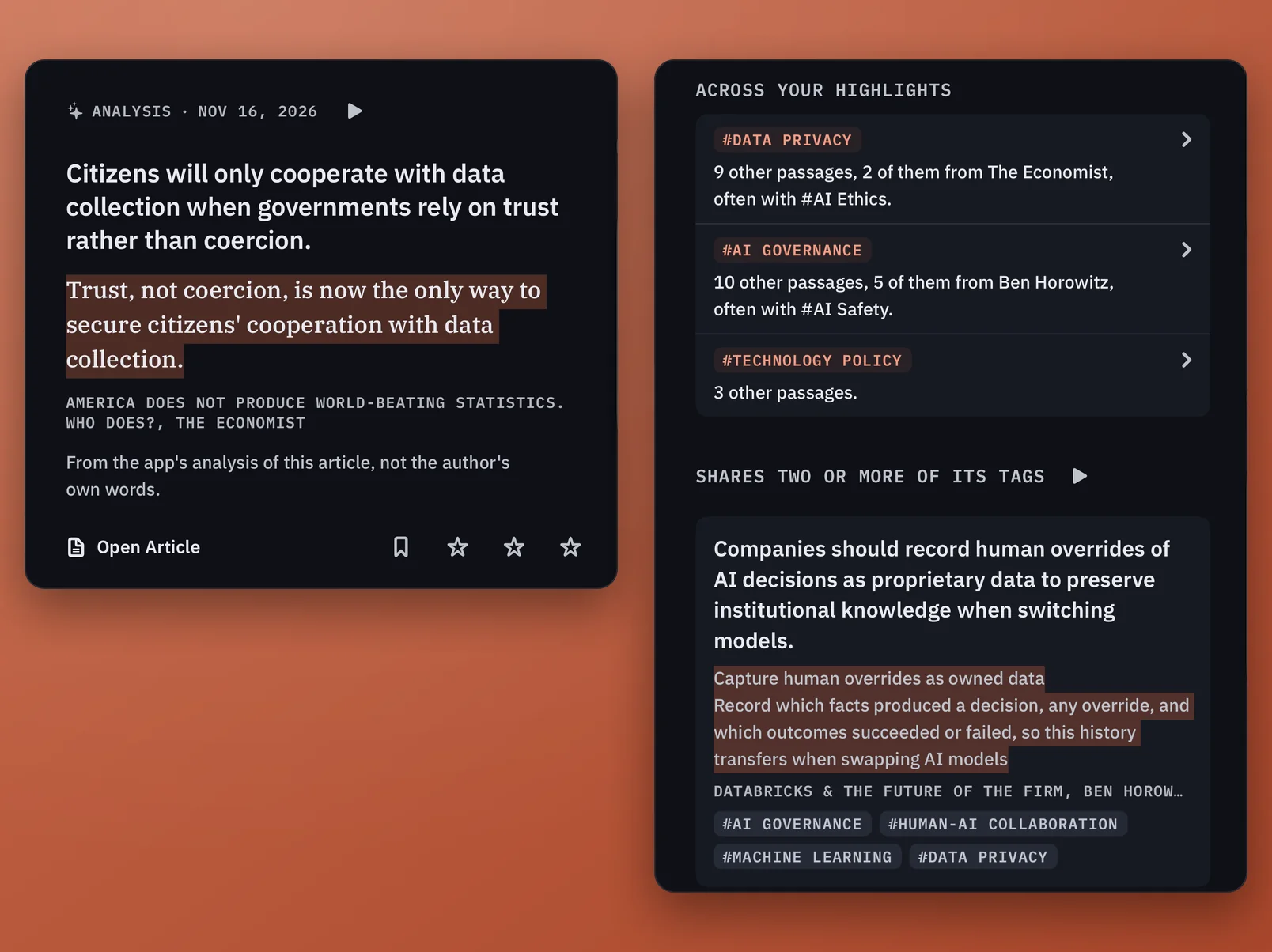
Opening a highlight shows me related highlights that share two or more of its tags. Requiring two tags creates a stronger connection, and the highlights may be related in ways I wouldn't have found on my own, given how many I have. Together they build a knowledge graph I can explore further when I'm curious.
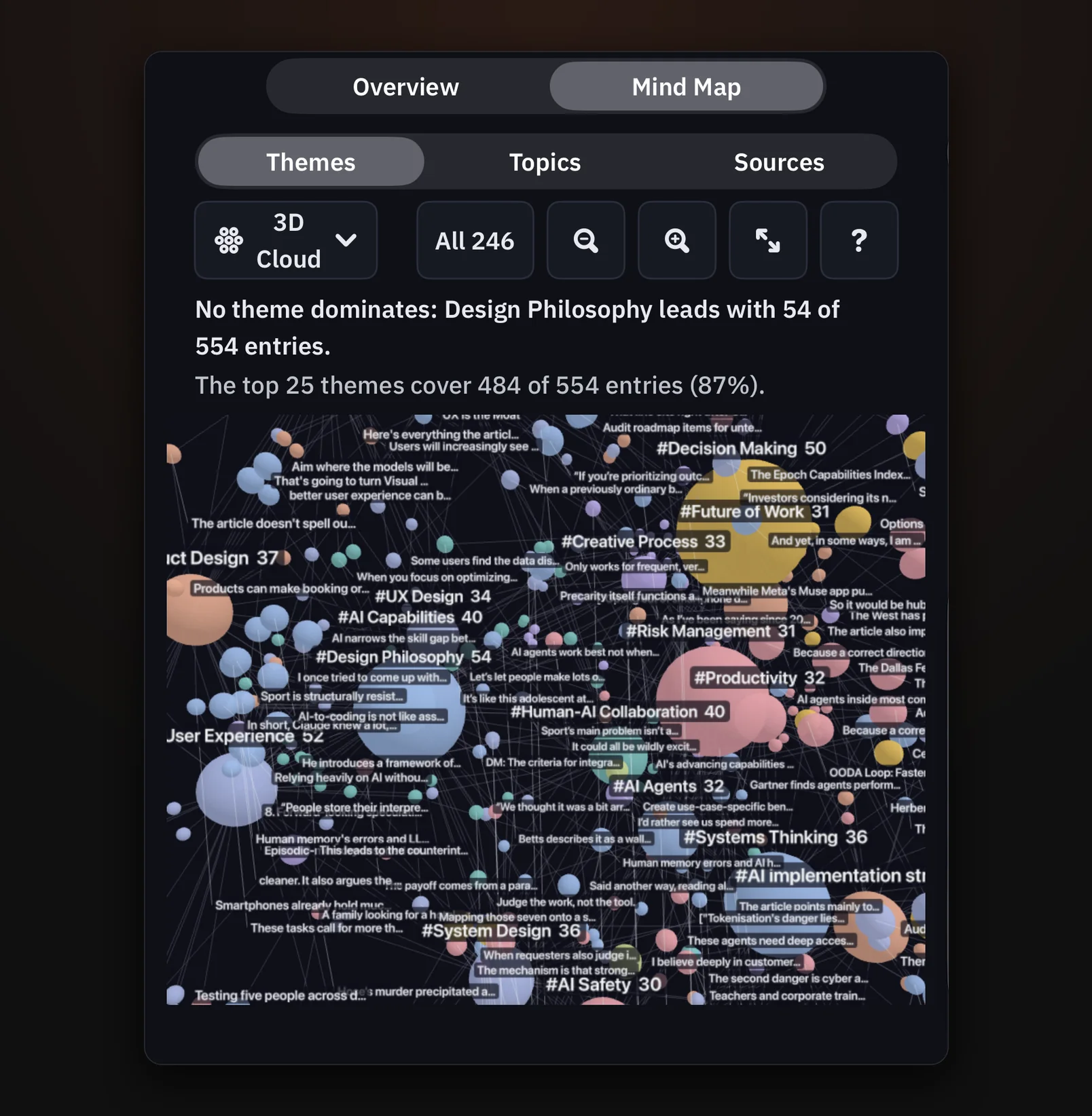
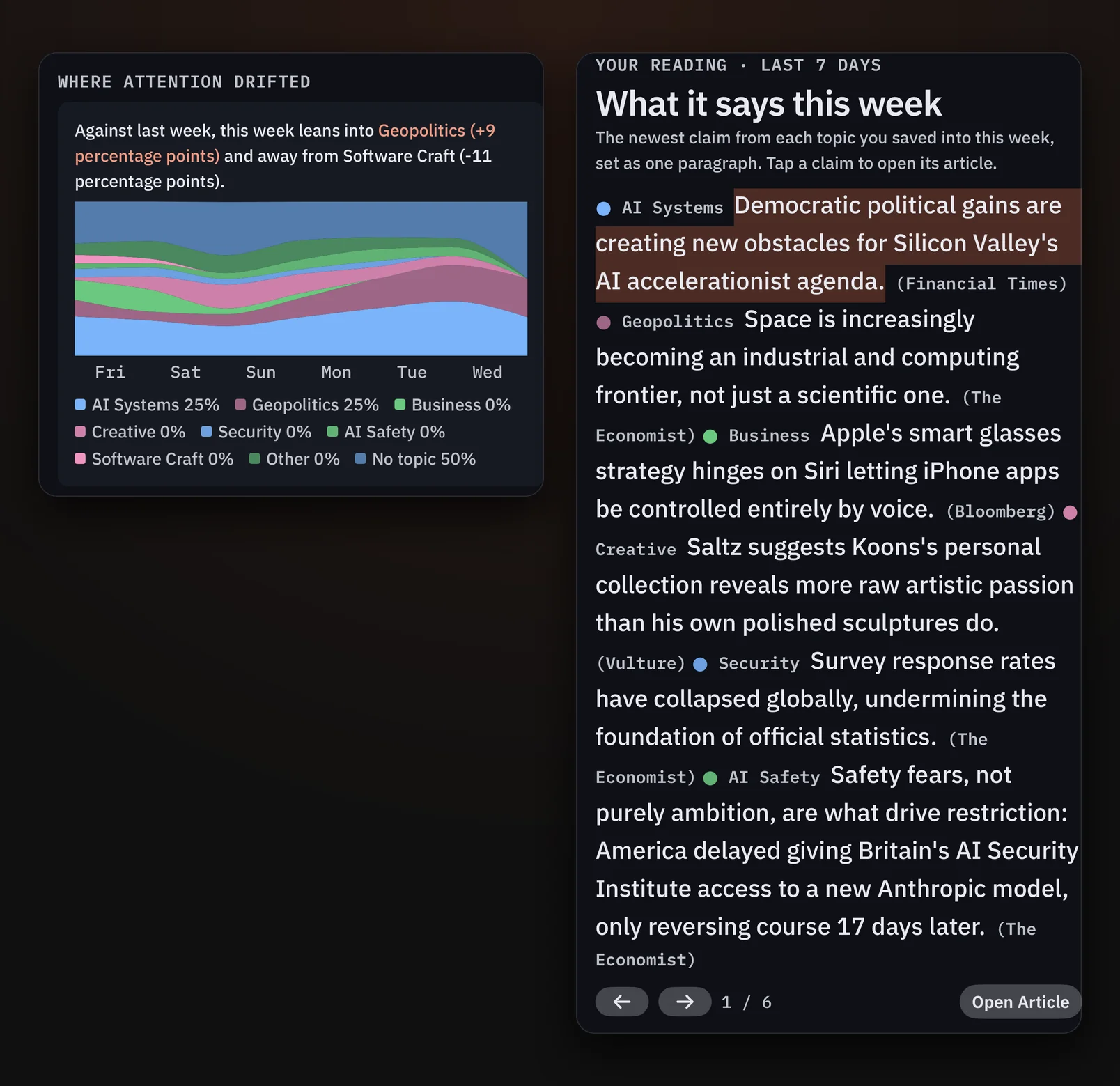
Over time, these highlights aggregate and grow into broader themes and topics. Because articles are broken out the same way, I can also see connections between articles that may not have been obvious. That helps me in two ways. First, it bubbles up areas of interest I wasn't aware of, quantitatively, through numbers. Second, when I want to go back to a concept or idea, I can get more learnings from that specific area.
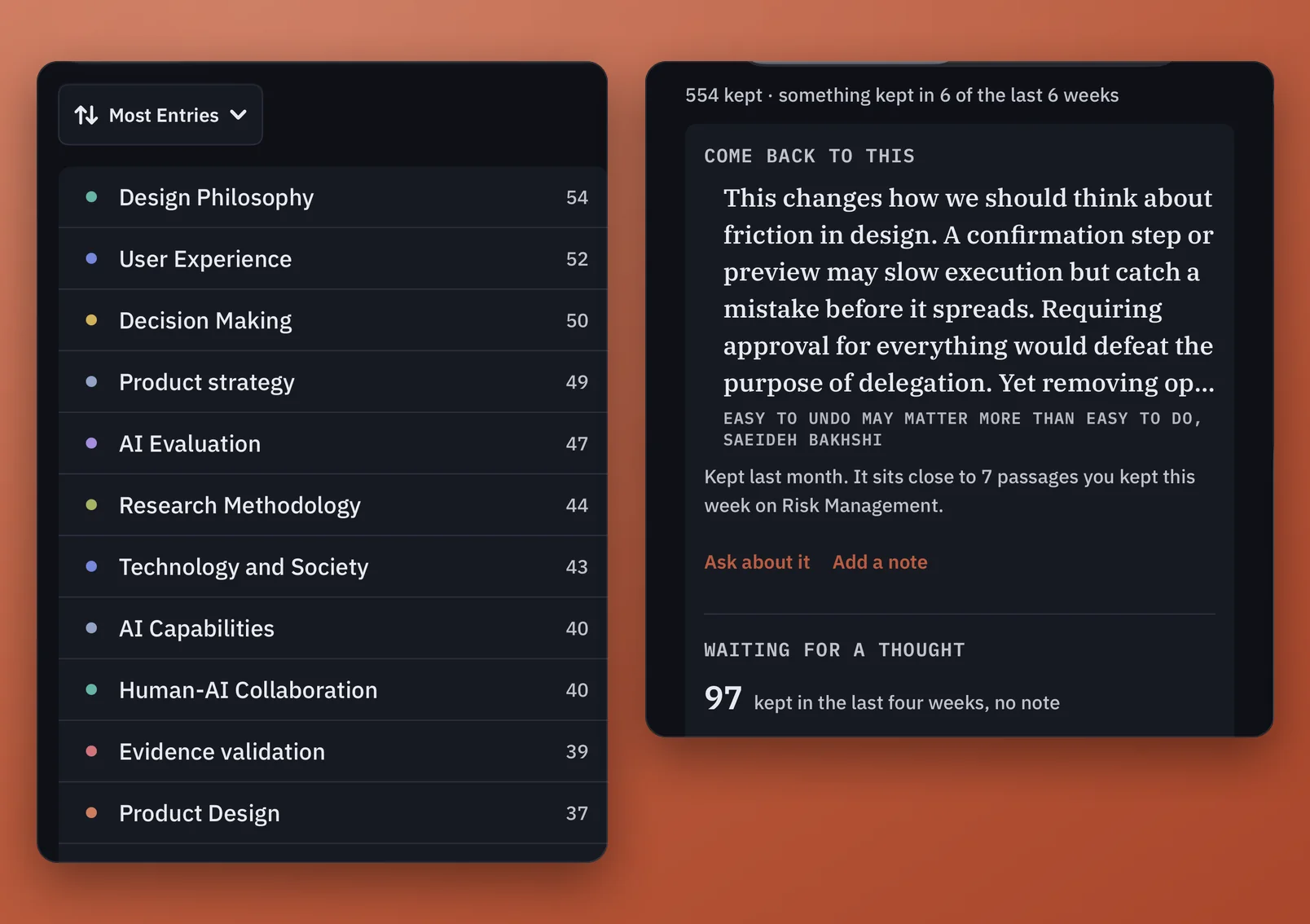
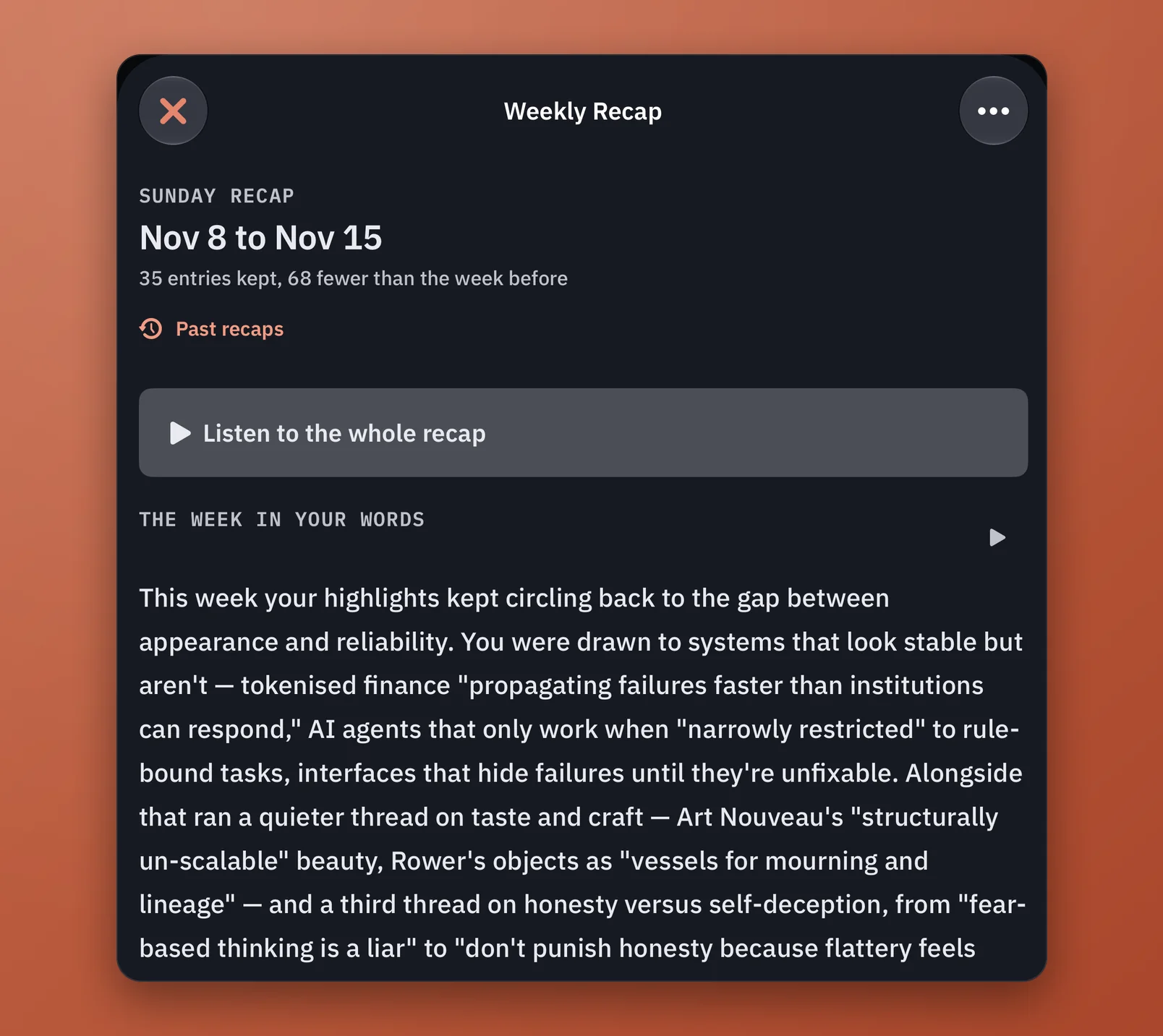
A view of the last 7 days shows what I've been interested in recently, which helps me step back and see what's emerging. And every Sunday, Margins compiles everything I've highlighted over the past week into a report that I read. The report connects the dots by topic in meaningful ways, surfacing connections and patterns I likely didn't know were there.
What's next
As I use what I read to start writing more, I think that will shape the next set of iterations: features that help me find more in the articles, so I can expound on the ideas that are top of mind for me.